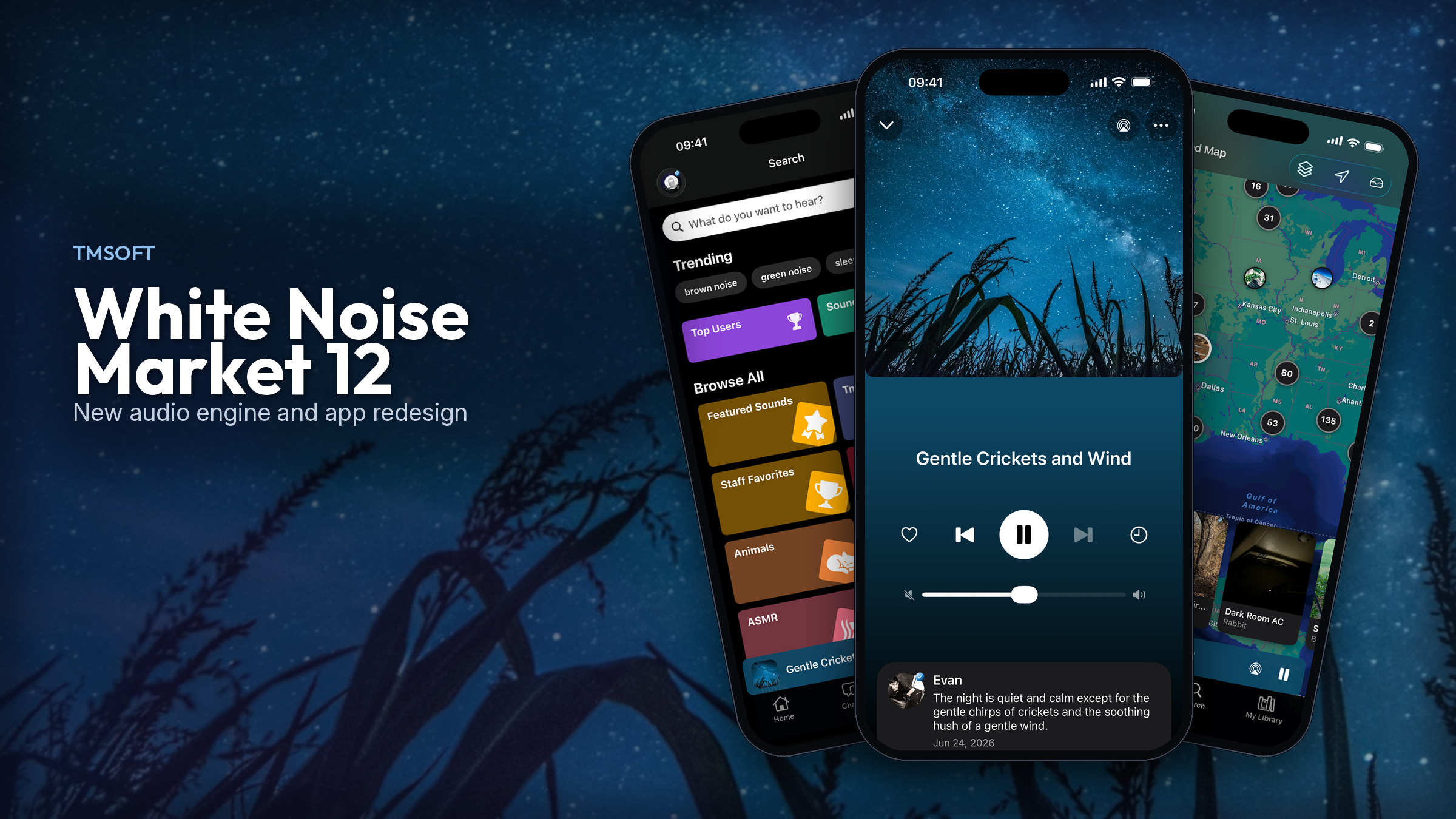
White Noise Market 12 is here with a completely redesigned interface that supports full playback of any sound or mix continuously, all night long, without ever leaving the app. Under the hood is our brand-new audio engine, which delivers smooth, higher-quality audio playback. This is the same shared engine that first launched in White Noise Recorder and now powers every White Noise 9 app on iOS and Android. The update is available now.
A New Shared Audio Engine
Under the hood, the White Noise apps now run on our next-generation audio platform. It’s a complete rewrite of how we decode, mix, and play sound — not a small polish pass.
32-bit audio pipeline
The engine mixes and plays audio through a full 32-bit pipeline. That means more headroom when sounds are layered together, cleaner fades, and less chance of harsh clipping when you stack rain, fans, thunder, and Market downloads into one mix.
Higher sample rates and 24-bit depth
The new platform adds support for higher sample rates and 24-bit depth, so recordings and Market sounds can carry more detail than older formats allowed. Higher sample rates and deeper bit depth help preserve detail in rain, fans, and nature recordings, and keep Market downloads sounding closer to how they were recorded.
Dynamic sound support
The engine now understands dynamic sound packs — self-contained sounds that can expose plain-English options and rebuild the mix from those choices. Instead of only playing a fixed loop, a dynamic pack can adapt while still looping cleanly overnight.
Longtime listeners may remember our earlier app White Noise Storm, which dynamically played groups of thunder strikes and rumbles along with rain strength adjustments so no two storms sounded the same. The new dynamic sound support brings that idea into the new engine. With this release, the White Noise Storm pack is available now initially to subscribers of White Noise Market, with more dynamic packs to follow.
Built for all-night listening
Beyond fidelity, the engine was designed for the way people actually use White Noise: long overnight sessions, Bluetooth headphones, lock-screen controls, sleep timers, and quick pause/play. It recovers more cleanly when the audio route changes, and it keeps mixes looping without the clicks and gaps that wake you up at 3 AM.
White Noise Market 12 — Listen Right in the Market
White Noise Market 12 is available now — a redesign of the Market app built around the new audio engine. You can play sounds and mixes right inside the Market app — full-screen playback, free for everyone, so discovering a sound and actually hearing it are the same step.
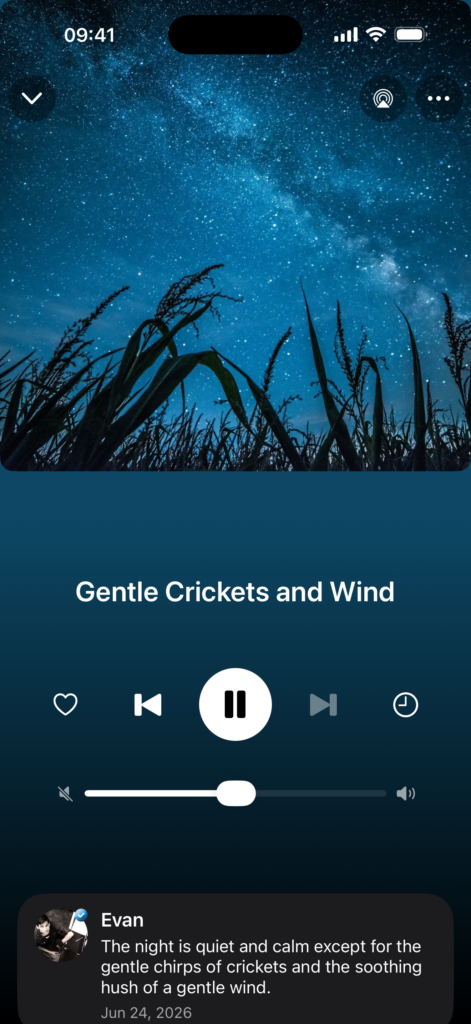
Full-screen looping playback in White Noise Market 12
Highlights of Market 12:
- In-app audio playback for sounds and mixes (full-screen player) — free for everyone
- The new shared 32-bit audio engine under the hood
- A simple sleep timer for listening without leaving the Market
- Smarter mix downloads that pull every sound a mix needs
- An improved Sound Map that groups nearby sounds into close regions, with a horizontal slide view for browsing the sounds in that area
- Continuity with the website experience, where Market subscribers can already stream looping playback at whitenoisemarket.com
The redesigned Search screen makes it easy to browse trending sounds and categories, with a mini-player so listening doesn’t stop while you look.
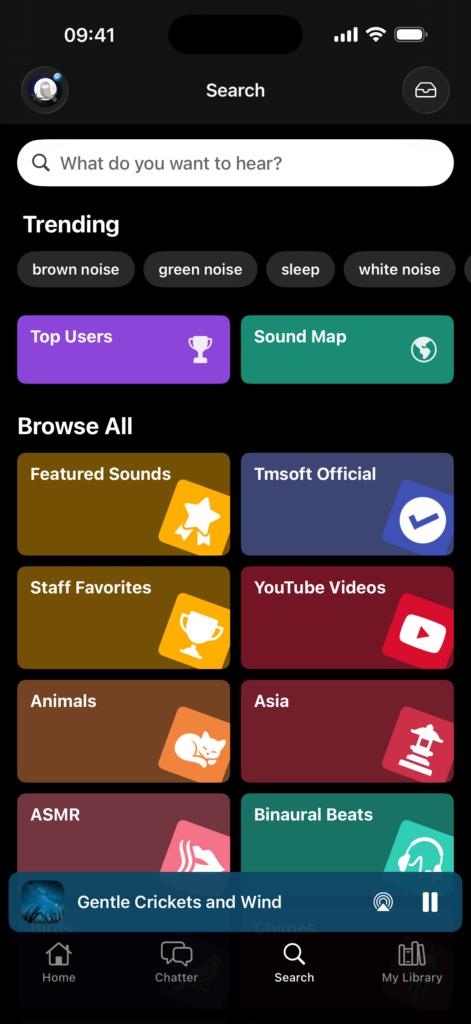
Search brings top users, sound map, categories, and trends into one place in White Noise Market 12
The Sound Map is improved in this release too. Nearby sounds are now grouped together in close regions, so busy areas stay easy to scan, and a horizontal slide view lets you flip through the sounds in that area without leaving the map.
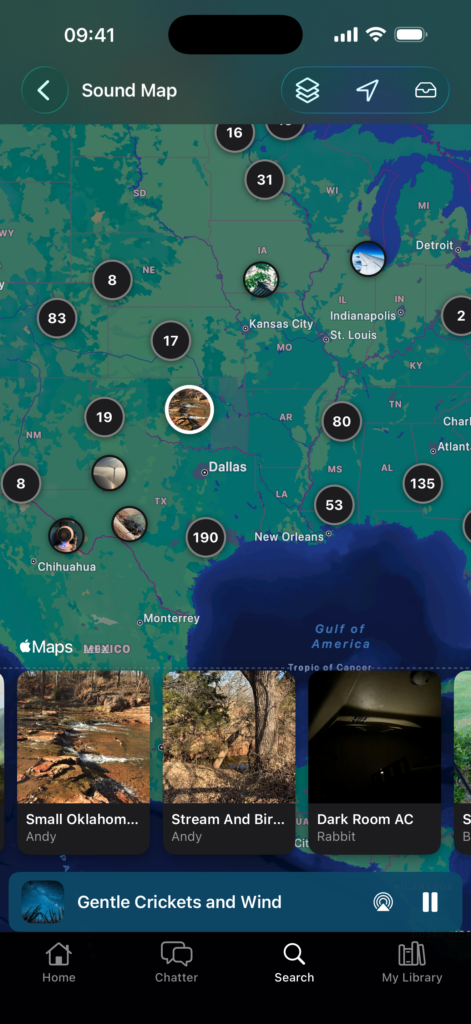
The Sound Map, with regional grouping and a horizontal slide view
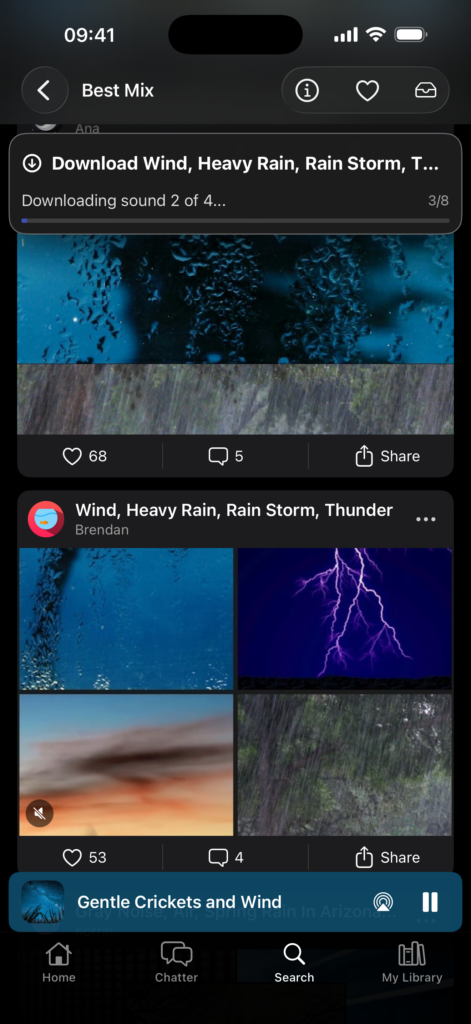
Downloading a mix in Market 12 happens seamlessly with all mixed sounds downloaded individually
Browse, preview, download, and listen — then bring those sounds into White Noise, White Noise Lite, White Noise Pro, or White Noise Baby as you always have.
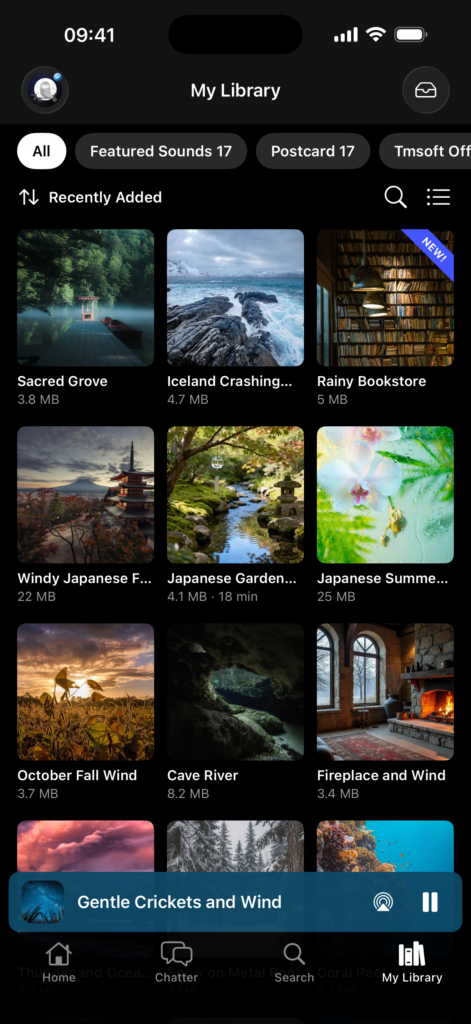
My Library in Market 12 allows for quick access to all downloaded sounds with search, sort and filter options
White Noise 9 — Same App You Know, New Engine Underneath
White Noise 9 is available now for iOS and Android and brings the new audio engine into the main White Noise mobile apps you already use for sleep, focus, and relaxation. (Mac and Windows desktop builds are not on version 9 yet.)
What’s new in White Noise 9
From the App Store release notes for White Noise 9:
- All-new modern audio engine for smooth, efficient, and reliable playback
- Siri and Shortcuts — play, stop, skip, play a sound by name, and set sleep timers by voice or from the Shortcuts app (iOS 17.2+)
- Home Screen widget — play, stop, next, and previous without opening the app (iOS 17.2+)
- Dark and tinted app icons (iOS 18+)
- Spotlight — sounds show up in search again, now with thumbnails
- Mix Pad — speed setting now has a wider range
- AirPlay and other playback reliability fixes, plus updates for the latest OS releases
Advanced audio settings
White Noise 9 includes an Advanced settings area so you can tune playback for your device. A few settings are worth a quick look after you update — they aren’t all brand-new, but they’re good to review and adjust for overnight listening:
- Buffer Size — Small, Medium, or Large (default Medium). Increase if sound skips frequently; a smaller buffer can feel more responsive when you change settings.
- Mix with Music — lets White Noise mix with other music playing on the device.
- Reduce Interruptions — helps keep audio playing by blocking interruptions from system alerts (you may miss calls and other notifications when it’s on).
- Continue on Disconnect — keeps audio playing through headphone / Bluetooth route changes (sound may switch to the speaker when it’s on).
- Disable Remote Controls — turns off lock-screen and Bluetooth transport controls when you don’t want them.
- Low-Latency Output (Android) — lowers audio latency; may bypass your device’s equalizer effects.
Most listeners can leave these alone. They’re there when a particular phone, Bluetooth headset, or overnight session needs a little extra control.
Better on Android
White Noise 9 put a lot of work into making overnight listening more stable on Android. The Google Play update brings the same new audio engine for smooth, efficient, and reliable playback, plus memory optimizations and a round of crash and bug fixes.
Android improvements in this release include:
- Low-Latency Output — a new Advanced setting for a more direct audio path on Android
- Mix with Music — a new Advanced setting for mixing White Noise with other music on the device
- Audio plays through the device’s equalizer and sound effects again
- Home Screen widget fixes so Play works again from the widget (including from the background and a cold start)
- Playback that can resume after a Play Store update, or after Android stops the app mid-play
- Updates for the latest Android versions and support libraries
If audio ever skips on your phone, try raising Buffer Size in Advanced settings (Small / Medium / Large; default Medium).
What This Means for Listeners
You don’t need to learn a new app. Update White Noise 9 and White Noise Market 12, and you get:
- Clearer, more detailed sound from the 32-bit engine
- Support for higher sample rates and 24-bit depth
- Dynamic sound packs — starting with White Noise Storm for Market subscribers
- Free in-app playback inside Market, so trying a sound doesn’t mean guessing from a short preview alone
- An improved Sound Map with regional grouping and a horizontal slide view
- Extra Advanced controls when your device needs them
If you already use White Noise Recorder, you’re hearing the same engine — and your recordings can travel into the rest of the White Noise family.
What’s next
The next big release of the White Noise Market app will let you create your own recordings and mixes right inside the app.
Get the Updates
- White Noise Market 12 (apps & website): https://whitenoisemarket.com/app
- White Noise 9 for iPhone and Android (White Noise, Lite, Pro, and Baby): https://whitenoise.app
White Noise 9 (iOS and Android) and White Noise Market 12 are available now. Update from the App Store or Google Play, open a favorite rain or fan sound, and listen for the difference.
As always, we’d love your feedback — email us at support@tmsoft.com.
— Todd / TMSOFT